
Execution and correctness are different tests. Here are the five places D365 Procure-to-Pay pays the wrong amount — and passes anyway.
On Monday we shared a 60-second video of a Procure-to-Pay process running automatically in D365 — purchase requisition all the way through to payment validation, with no one clicking through screens.
It’s a good thing to watch. It’s also only half the picture.
Because there’s a question automation is very good at answering, and a question it quietly leaves alone.
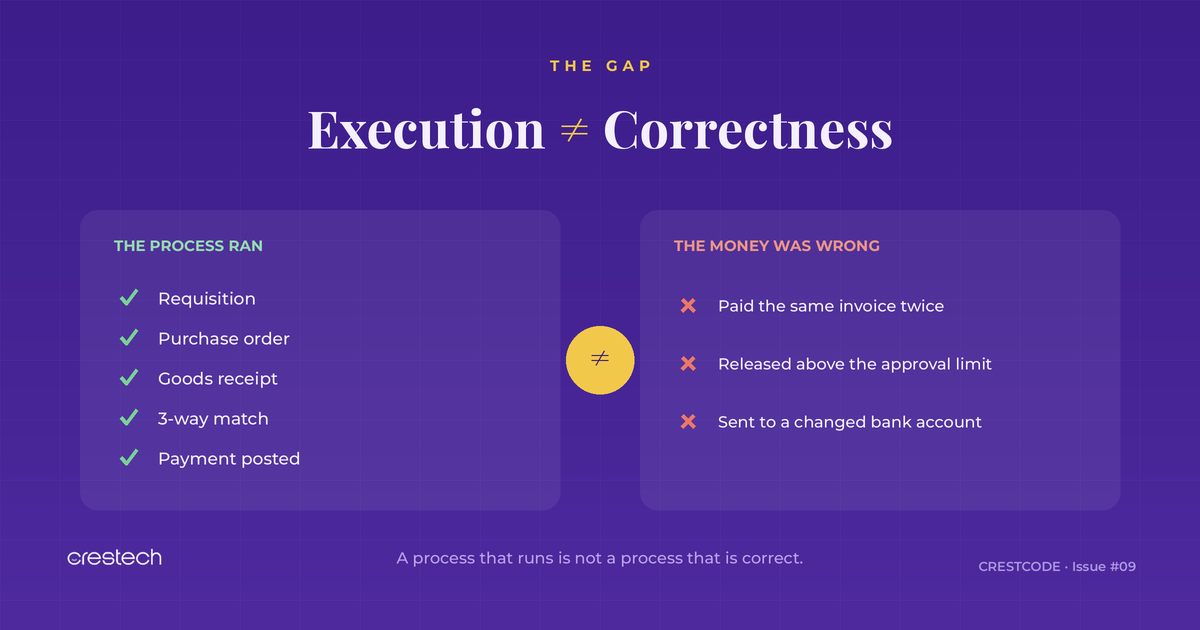
Automation answers: did every step run?
It doesn’t answer: was the result correct?
Those feel like the same question. In Procure-to-Pay, they are not.
A purchase order can be created, approved, received, matched, and paid — every step green — and the business can still lose money on that transaction. The process didn’t break. The outcome was just wrong.
Here are the five places it happens most.
1. The same invoice gets paid twice
A vendor emails an invoice. It gets keyed in. A week later the same invoice arrives through a different channel — maybe with a slightly different number, maybe posted to a different legal entity — and it gets keyed again. Two vendor invoices. Two payments.
Your automation validated that each invoice posted correctly. It did. Both of them. Functionally, nothing failed.
What to validate: duplicate detection across invoice number, amount, vendor, and date — including near-duplicates and cross-entity duplicates. Test that the system blocks or flags the second one, not just that the first one posts cleanly.
2. An order slips past the approval limit
Every organisation has approval thresholds — a manager can sign off up to one amount, a director up to another. Then someone splits a £90k order into two £45k orders. Or a change order pushes a PO past a limit after it was already approved.
Automation confirms the approval workflow ran. It rarely confirms the workflow ran against the right limit once the amount changed.
What to validate: that amount changes, split orders, and post-approval edits re-trigger the correct approval level — and that nothing releases above someone’s actual authority.
3. “Within tolerance” is not the same as “correct”
D365 matches PO, receipt, and invoice, and it allows a small tolerance so tiny price differences don’t block payment. That’s sensible. It’s also exploitable. An invoice priced just inside tolerance, repeated across hundreds of lines, adds up to real money.
Automation checks that matching ran and that within-tolerance invoices pass. That’s the design working as intended. The risk is treating “within tolerance” as if it means “right.”
What to validate: matching behaviour at the edges — at tolerance, just over, just under, with partial receipts, and with price changes between PO and invoice. And confirm the tolerances are set where finance actually wants them, not where they were left during setup.
4. The vendor’s bank details changed last week
This is the one that turns a testing gap into a fraud headline.
The PO is right. The invoice matches. Approvals are clean. Every test passes. But the vendor’s bank account was changed last week — by a legitimate update, or by someone who shouldn’t have been able to.
No functional test catches this, because functionally nothing is wrong. The payment goes exactly where the record says to send it. The record is the problem.
What to validate: the change controls around vendor master data — who can change bank details, whether those changes are reviewed, and whether a changed account triggers a hold before the next payment run.
5. The tax and currency look fine, and are wrong

A wrong sales tax group. An exchange rate pulled from the wrong rate type or the wrong date. A cross-entity transaction posted in the wrong currency. Each one passes as a clean, complete transaction. Each one is wrong by a number nobody sees until reconciliation — or an audit.
Automation confirms the tax and currency fields are populated. It rarely confirms they are correct for that specific scenario.
What to validate: tax determination across vendor and item combinations, exchange-rate selection on cross-currency invoices, and intercompany postings — checked against expected values, not just “a value appeared in the field.”
The shift this is really asking for


Notice the pattern. In all five, the process executed perfectly. Automation did its job. The defect lived in the outcome, not the steps.
That’s the difference between process validation and control validation.
Process validation asks: can the system complete Procure-to-Pay?
Control validation asks: does Procure-to-Pay protect the business while it does?
Most D365 test suites — automated or not — are heavy on the first and light on the second. That’s understandable. Steps are easy to script. Correctness is harder, because it needs you to know what the answer should be and to build the test around the money, not the clicks.
What good looks like
You don’t need to rebuild your suite. You need to add a thin layer of checks aimed at outcomes:
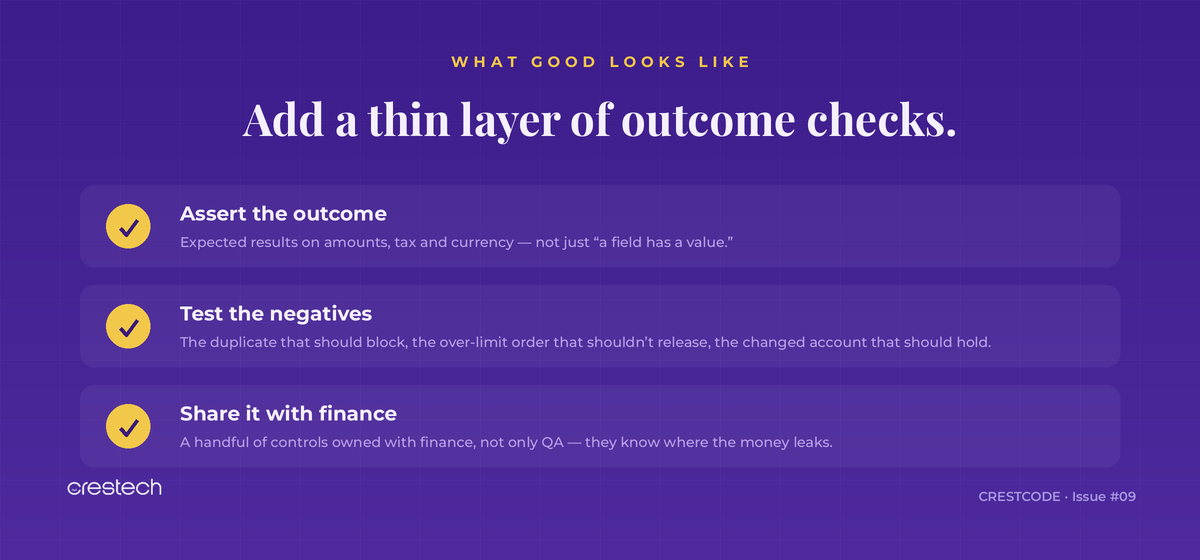
Monday’s video ended at payment validation. This is what payment validation has to be worth.
Automating P2P is the easy win. Trusting it is the real one — and trust comes from testing whether the money is right, not just whether the process ran.
CRESTCODE lands every week with one practical idea for D365 and ERP testing teams. Subscribe to get the next edition.
And if your team is automating D365 testing and wants regression that validates outcomes — not just execution — that’s the work we do at Crestech


